4.19.2 How to configure Scribbler Listen IP & Port
This feature allows administrators to configure the IP address and port number on which the Scribbler Web Interface service listens for incoming requests.
Procedure
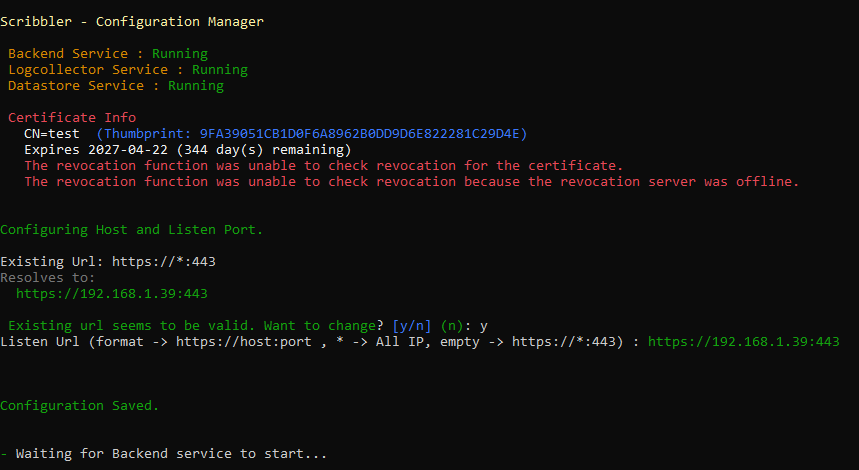
- Choose Configure Service listen IP & Port.
- Existing URL and all available endpoints configured in the system will be displayed.
- To modify the existing IP & Port, type
ywhen prompted:Existing URL seems to be valid. Want to change? [y/n]. - Enter valid IP and port.
- The configuration will be saved, and the backend service will be restarted.