4.18 How to enable Scribbler API Access
Scribbler API access were disabled by default. To enable API, follow the instructions given below.
Procedure
-
Navigate to
<datafolderpath>/scribbler- Windows:
C:\Syskey\Scribbler\data\scribbler - Linux:
/data/scribbler
- Windows:
-
Update the
appsettings-additional.jsonfile by adding theAppConfigsection alongside the existing configuration:"AppConfig": {
"Swagger": {
"Enabled": true
}
}Note: The existing
appsettings-additional.jsonfile may contain multiple configuration sections (for example,ServiceEndpointand others). Add theAppConfigsection alongside the existing sections within the main JSON object. Refer the below image.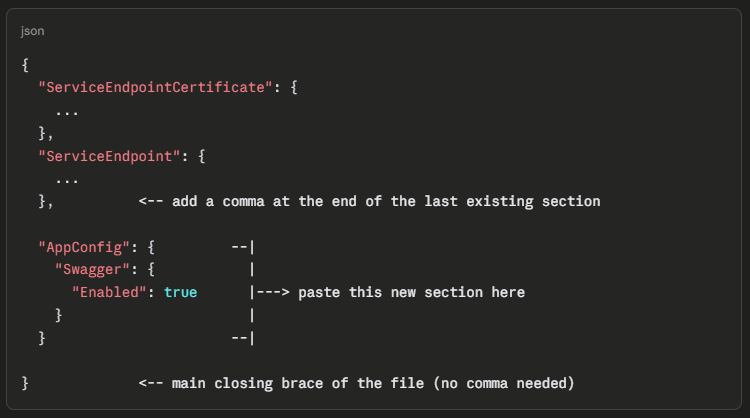
-
If the
appsettings-additional.jsonfile is not present, create it and add the following config:{
"AppConfig": {
  "Swagger": {
    "Enabled": true
  }
}
} -
Restart the backend service.
-
Navigate to browser, use
https://<ip>:<port>/swagger.