4.6 How to set database filters
Database filters decide which logs are stored in the database. The application reads all the logs and stores a copy to the database based on the configured filters. You can set filters for facilities for each severity level.
Procedure
-
In the navigation pane, navigate to Configuration > Filters.
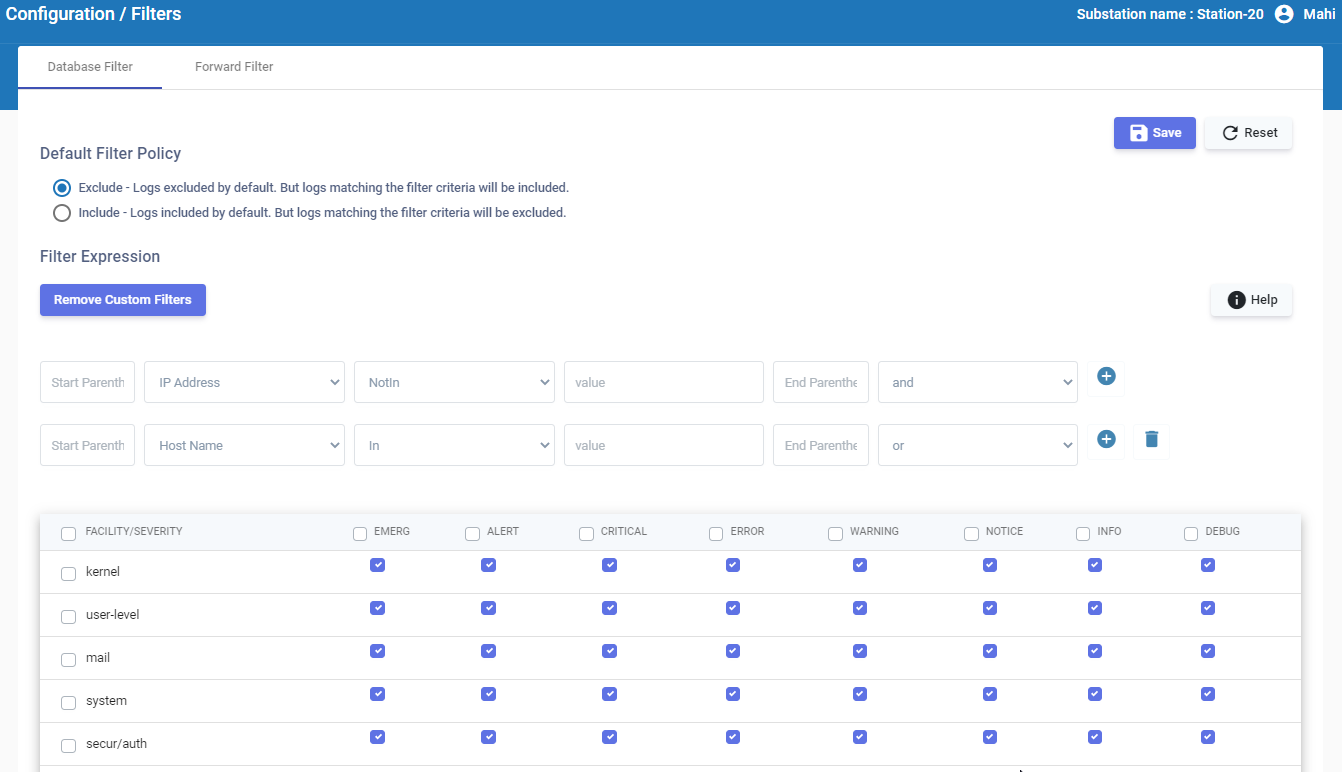
-
Set the Default filter policy:
- Choose the Include option to keep only the selected logs.
- Choose the Exclude option to remove the selected logs.
-
Click
 to add custom filter expressions to narrow or expand the focus of your search in the priority matrix.
Click Help for more information about the custom filters and search expression examples.
to add custom filter expressions to narrow or expand the focus of your search in the priority matrix.
Click Help for more information about the custom filters and search expression examples. -
For each facility, select the severity levels of log messages that must be stored.
-
Click
 .
.