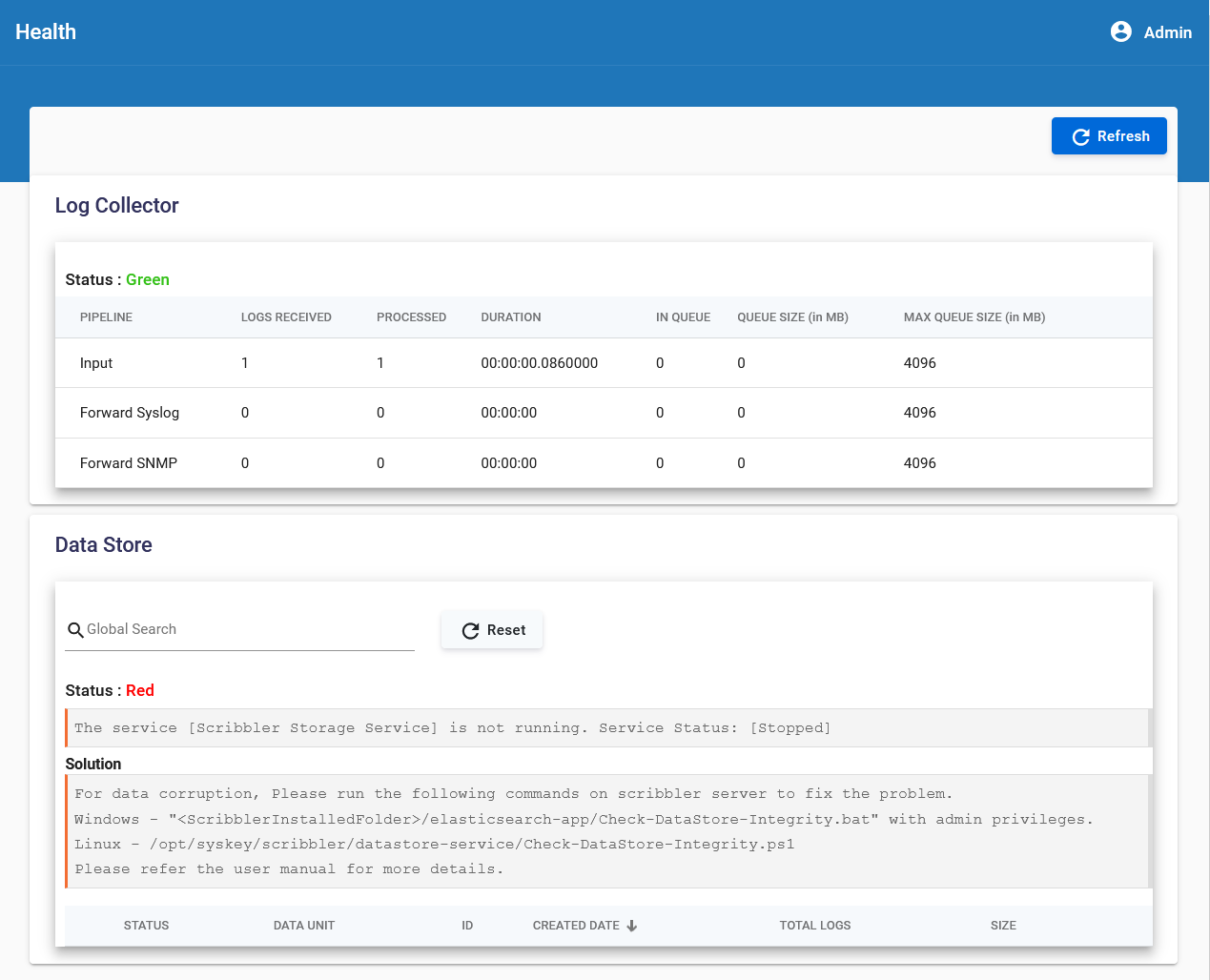
7. How to Monitor the Health of stored Log Files
You can monitor the health of the log storage units created for backup purposes.
Procedure
-
In the navigation pane, navigate to Health.
-
View the status of the current log collector storage unit, which shows:
- Pipeline
- Logs received and processed
- Other relevant details
-
Search for a particular backup storage unit using either the data unit or ID values.
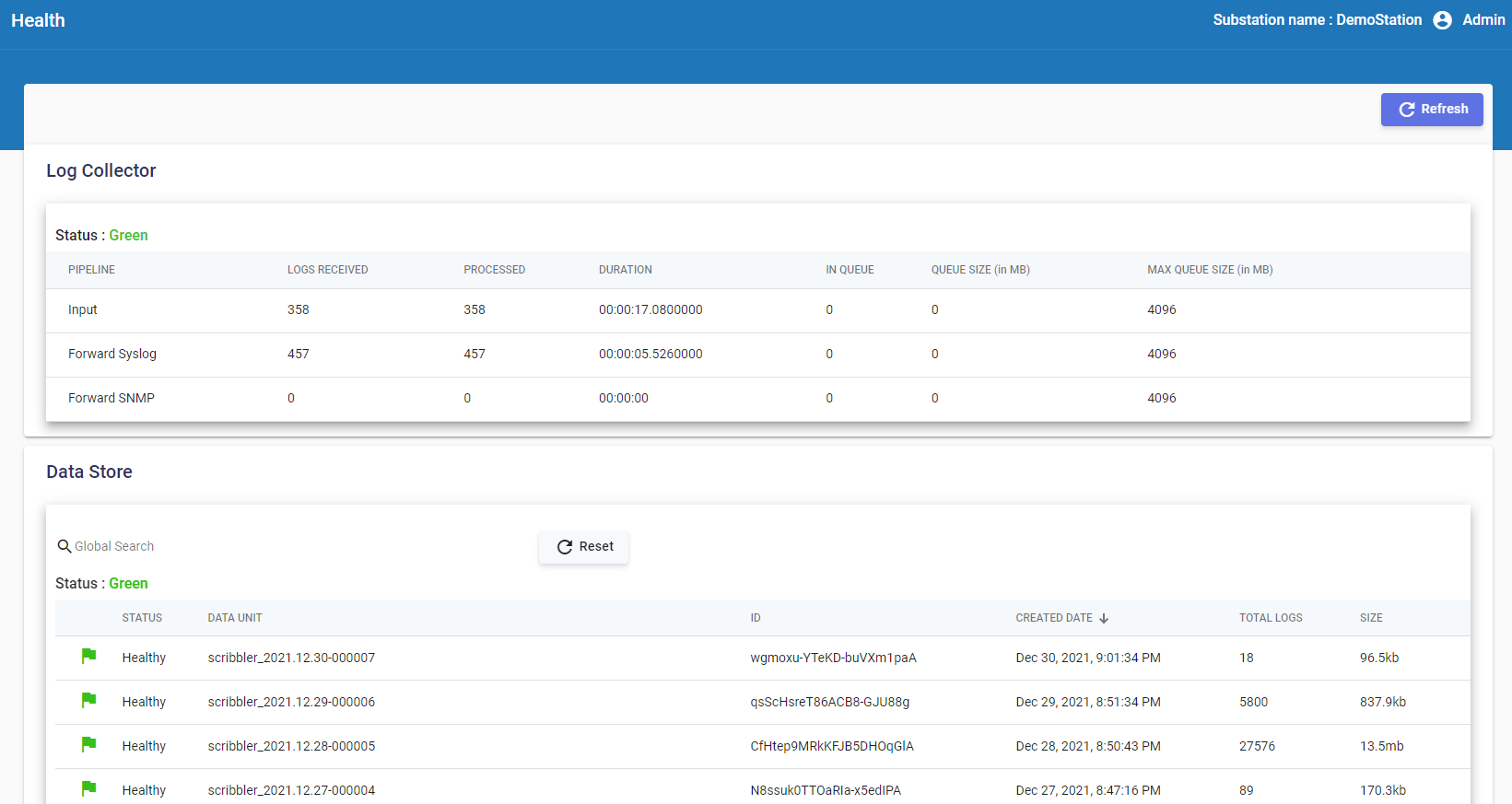
If the status is green, the storage unit is working as expected and is not corrupted. If the status is Red, it might indicate that the storage unit is corrupted. The issue with the health of the storage unit is also displayed along with a possible solution.
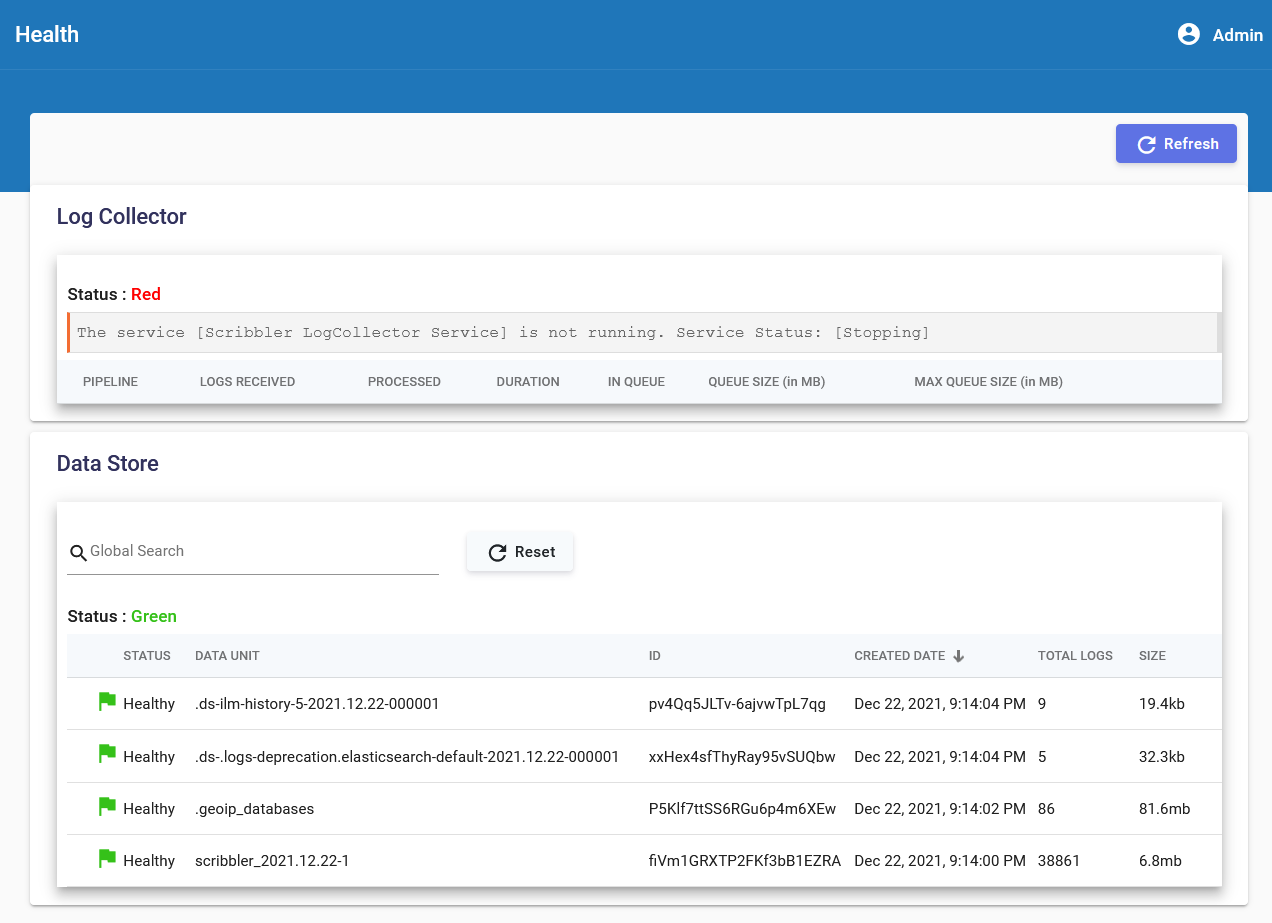
The status of the backup storage units is also displayed as either red or green depending on its health.