License Activation Process Guide
The Scribbler license activation is based on a unique device key generated per installation.
Terms Associated
- License key - Issued to the customer at the time of fulfilling a purchase order.
- Device key - Generated and available in the Scribbler application after the installation on a machine in customer environment.
- Activation key - Issued to the customer by Syskey Softlabs on request by submitting the license key and device key.
Procedure
-
After the license key is issued, the customer can install the application in their environment.
-
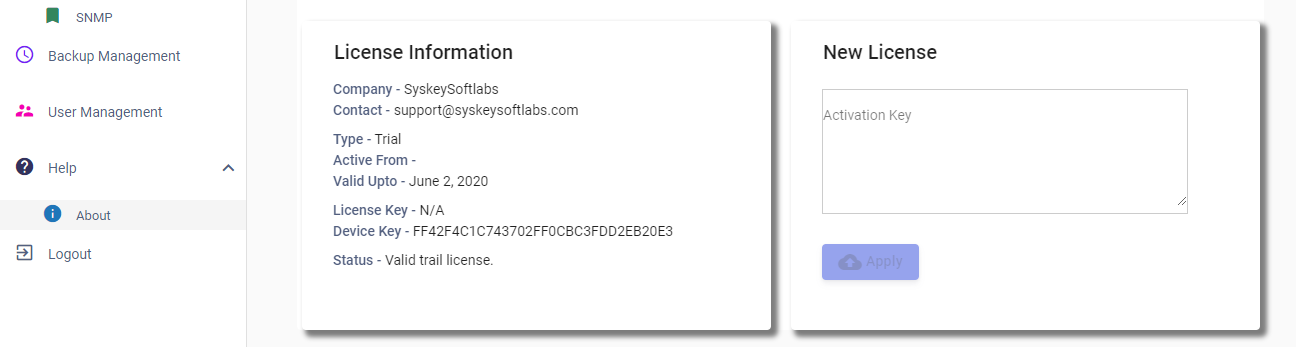
Once installed, login to the Scribbler application and visit the "About" page.
-
Copy the device key along with the previously issued license key and send it to the [email protected] mailbox requesting activation key.
-
Once the activation key is issued by Syskey Softlabs, copy and paste it to the "New License" field and click Apply.
-
The license will be activated.