4.13 How to Configure Splunk Forwarding
Scribbler supports forwarding logs to Splunk.
Procedure
-
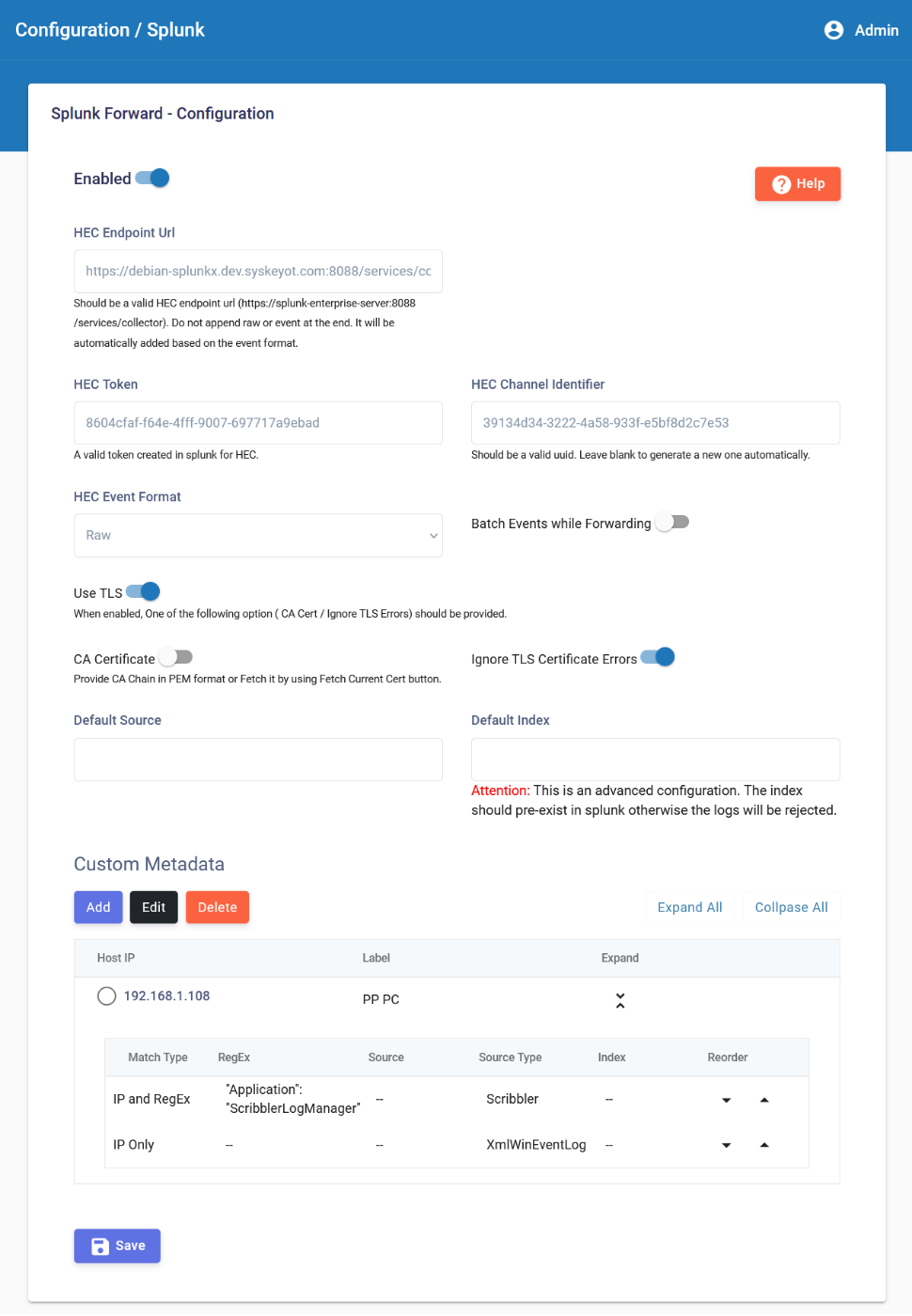
In the navigation pane, navigate to Configuration > Splunk
-
Click Enabled
-
Provide the required parameters. Refer to the in-screen Help for detailed instructions.
-
HEC Endpoint URL -> URL of the Splunk HEC collector
-
HEC Token -> A token required to send logs to Splunk HEC collector. Must be generated from Splunk.
-
HEC Event Format
- Raw -> Sends the logs to Splunk as received in pure raw format. All Splunk processing pipelines are executed.
- Json Raw -> Sends the logs to Splunk in JSON format as per HEC standard. Splunk may skip some items during pipeline execution. Refer to the Splunk team for more details.
-
Use TLS -> Enable to connect to HTTPS HEC endpoint.
-
Either CA Certificate or Ignore TLS Certificate Errors option should be enabled to forward logs to Splunk through TLS.
-
CA Certificate -> Provide the CA Chain in PEM format. Scribbler will forward logs only if the HEC endpoint's certificate is issued by the provided CA. A handy option "Fetch Current Cert" is available to fetch the CA Chain of the HEC endpoint.
-
(Optional) Provide Default Source and Default Index for all outgoing messages
-
(Optional) Scribbler supports configuring source and source type for each outgoing message before sending it to Splunk. This will be helpful if the Splunk indexer requires a source type.
- Scribbler supports defining metadata for an IP Address and IP Address + Regex combination.
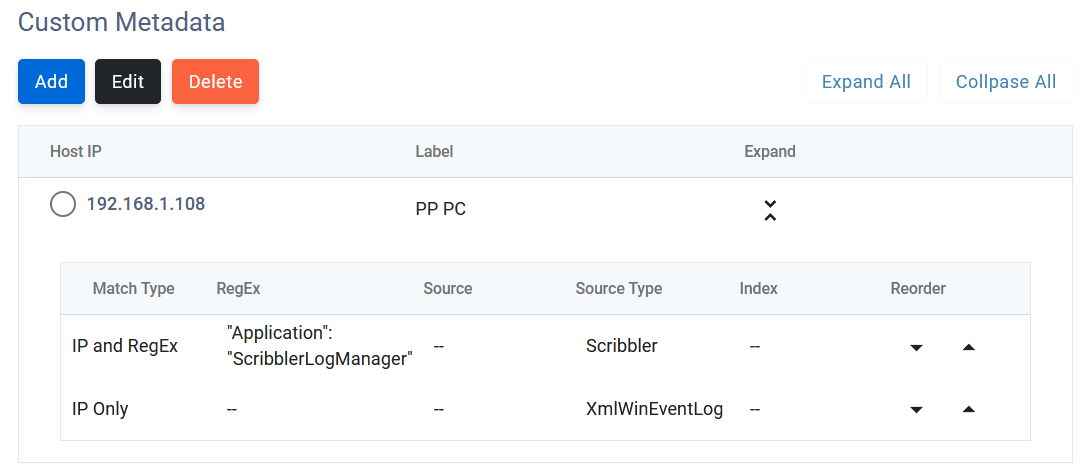
- If there are multiple applications running on a single IP, the IP Address regex combination can be used as shown below.
-
In the above example,
- Scribbler executes the regex on a message to be forwarded to Splunk
- If both an IP and a RegEx match, Scribbler assigns the source type to "scribbler", stops further processing, and forwards the log to Splunk
- If the first condition does not match, it moves to the next condition until a match is found
- The last condition should be IP Only without a regex
-
The above configuration is for a machine where both Scribbler Log Manager and Windows Agent are installed. The configuration correctly identifies the log to be forwarded to Splunk and sets the correct source type.
-
Click Save. The configuration will be saved, and it will take a minute to take effect.