4.19 Scribbler – Configuration Manager
The Configuration Manager module is used to manage and maintain application-level service configurations. It provides administrators with the ability to perform the following:
- Configuring Scribbler Listen IP & Port
- Configuring HTTPS Certificates
- Restarting different application services
To launch the configuration manager:
- On Windows, open the Scribbler shortcut from the desktop or from the Start menu.
- On Linux, run the command
/opt/syskey/scribbler/scribbler-service.
This opens the Configuration Manager interface. Follow the on-screen instructions to change the settings.
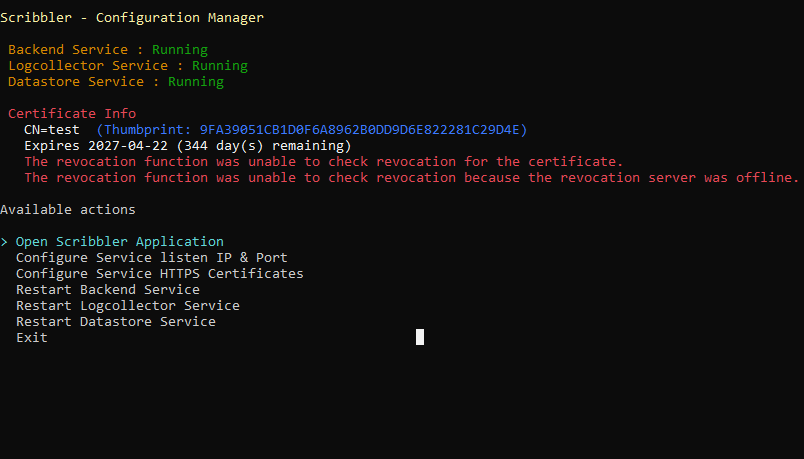
4.19.1 Open Scribbler Application / View Application URL
The Open Scribbler Application action allows users to access the Scribbler application in a browser directly from the configuration manager.
📄️ 4.19.2 Scribbler Listen IP & Port
This feature allows administrators to configure the IP address and port number on which the Scribbler Web Interface service listens for incoming requests.
📄️ 4.19.3 Service HTTPS Certificate
The Configure HTTPS Certificate feature allows users to upload and manage SSL/TLS certificates used for secure HTTPS communication.