4.20 Configuration / Settings Backup & Restore
The settings backup feature allows the administrators to take full backup of the entire Scribbler Log Manager configuration. So that in case of any adverse events (Hardware failure, Disk failure, etc..) Scribbler Log Manager can be quickly configured.
Exporting the configuration settings
-
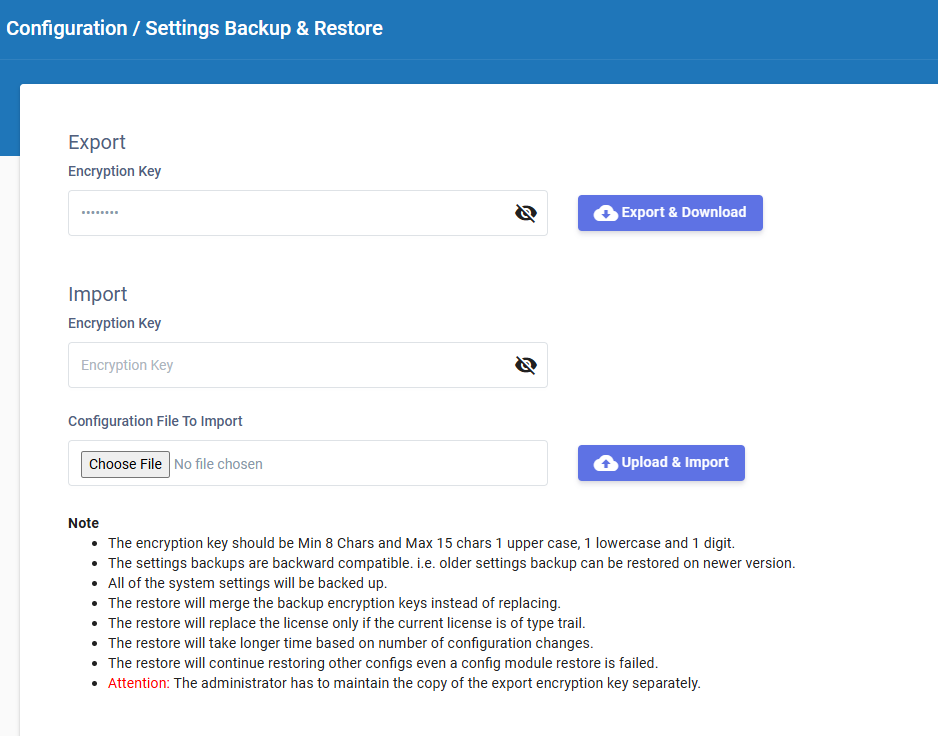
In the navigation pane, navigate to Configuration > Settings Backup.
-
Provide a custom encryption key and click Export & Download.
-
The configuration settings export file will be downloaded.
-
The downloaded settings file is encrypted. The file should be properly backed up.
Importing the configuration settings
- To import the exported settings, on the same Scribbler machine or a newly installed Scribbler machine:
- Enter the same encryption key provided earlier during the settings export.
- Choose the downloaded file and click Upload & Import.
- The settings backup will be imported successfully.