4.1 How to configure input options
Configure the input options to enable Scribbler to listen on the port and for the protocol used by the network devices.
Procedure
-
In the navigation pane, navigate to Configuration > Syslog Input/Forward.
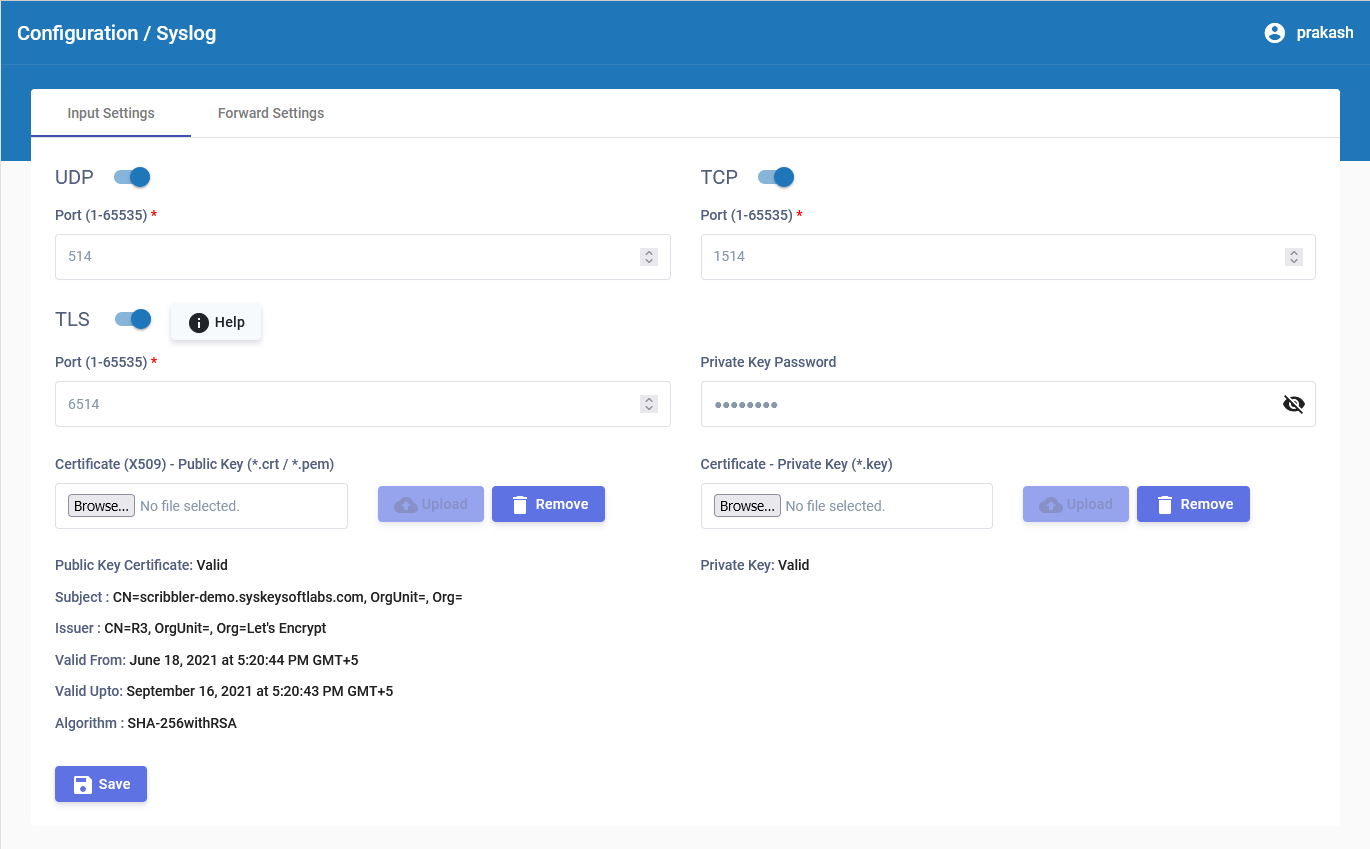
-
In the Input Settings tab, select the protocols used by the network devices. The options are:
- UDP — Specify the port number for UDP syslog messages.
- TCP — Specify the port number for TCP syslog messages.
- TLS — Specify the port number for TLS syslog messages to securely receive messages over an encrypted channel.
-
If TLS is selected, upload the private key and public key certificates along with the private key password. The accepted formats are
.crtand.pemfor the public key, and.keyfor the private key.TLS is enabled only if all required details (private key, public key, and private key password) are valid. Otherwise, even if it appears enabled in the interface, TLS will not be enabled internally.
After the upload is complete, the certificate details are displayed.
-
Click
 .
.