4.15 How to configure Remote Windows Event Log Collection
Scribbler’s default syslog inputs are capable of processing windows events received through Syskey Windows Agent. However, the Remote windows event log collection feature implemented in newer versions of SyskeyOT Windows Agent requires some special processing to keep the source device IP address. Which is supported by the “Windows Event Log Collection” feature.
Procedure
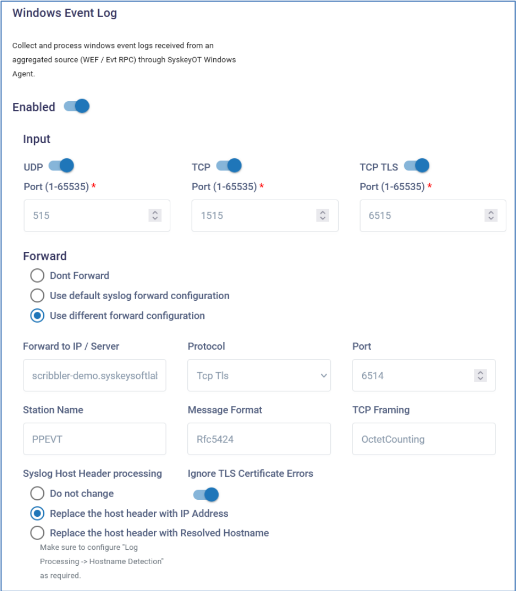
- In the navigation pane, navigate to Configuration > Windows Event Log
- Click Enabled option.
- Configure the required input ports. TCP or TCP TLS are the recommended configuration.
- The listening port numbers should not conflict with any other existing listening ports.
- By default, the collected windows event logs are forwarded to default Syslog Forward configuration. If windows has to be forwarded to different server, choose “Forward -> Use Different Forward Configuration” and provide the details.
- For more details about the individual configuration, refer to How to forward logs to a remote server.