4.19.3 How to configure Service HTTPS Certificate
The Configure HTTPS Certificate feature allows users to upload and manage SSL/TLS certificates used for secure HTTPS communication.
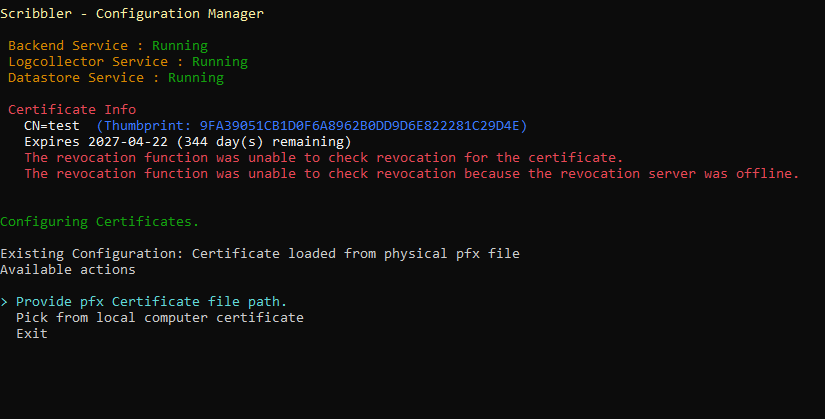
Certificate can be configured using either of the following methods
- Provide PFX Certificate file path
- Pick from local computer (only for windows machine)
Provide PFX Certificate file path
- Choose Provide PFX certificate file path.
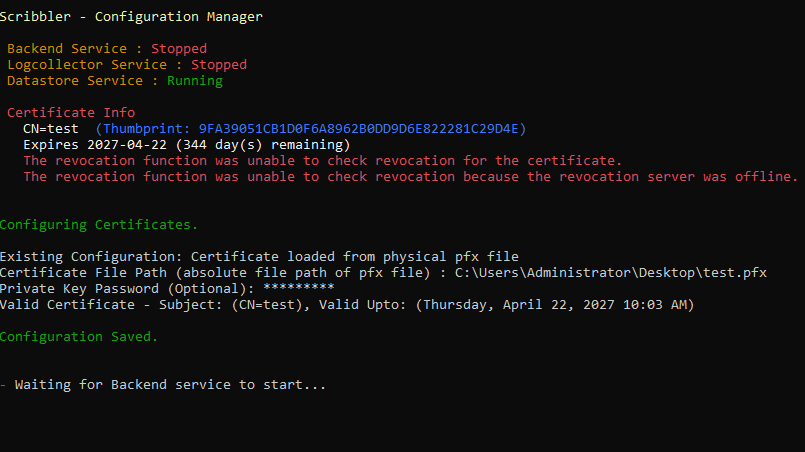
- Provide the PFX certificate file path and press enter.
- Provide the valid private key password and press enter.
- The configuration will be saved, and backend will be restarted.
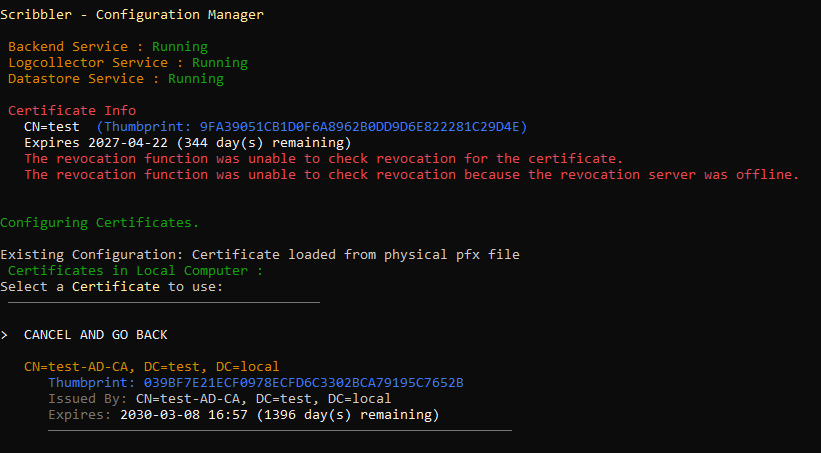
Pick from local computer
- Choose the Pick from local computer option.
- The system will display all certificates available in the local machine's Personal store.
- Choose required certificate and press enter.
- The configuration will be saved, and backend service will be restarted automatically.