5.1 How to configure Windows Event Logs collection
Configure the input options to enable SyskeyOT Windows Agent to collect Event Logs from the Windows machines.
Procedure
-
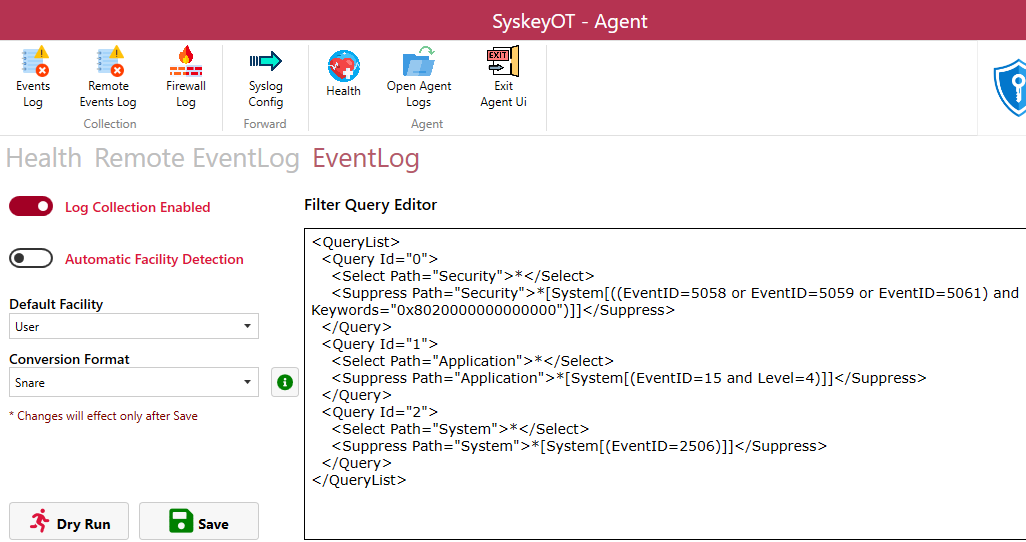
In the top navigation pane, click on Events Log tab.
-
Enable Log Collection – Click on Toggle switch to Enable/Disable EventLog collection of the local machine.
-
Enable Facility Detection – Enable this feature to allow the agent to Auto Detect the Facility of the captured event logs.
-
Default Facility - The default facility to be used when facility detection is not possible.
-
Conversion Format – Configures how the event logs to be converted to. Please click the help button next to it for various options.
-
Click
