5.3 How to set Event Log Filter
-
Event Log filters decide which logs to be collected and forwarded to remote syslog servers. The application reads all the logs and forwards based on the configured filters.
-
Setting filters is quite easy for the users as it is possible to utilize existing custom-view feature of the windows event viewer.
Procedure
-
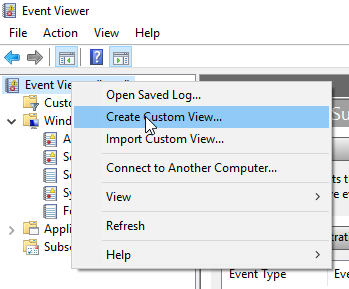
Open Windows Event Viewer of the host machine and right click to find “Create Custom View” option.
-
Click on “Create Custom View”
-
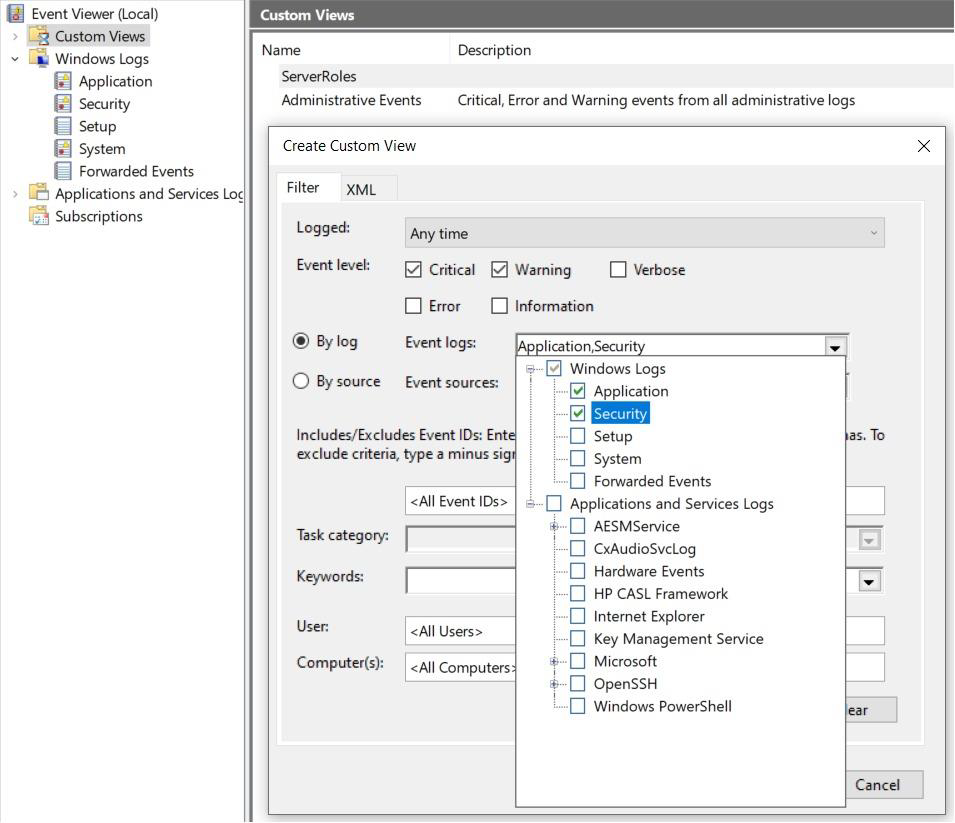
Set the Desired filters based on Event Level, By Log, By Source, Event ID and Keywords.
-
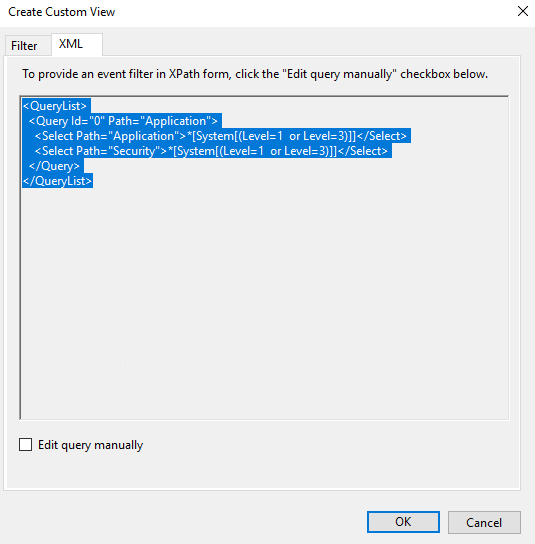
After configuring all required filter options, Click on the “XML” tab.
-
Select and copy the “XML” query from Windows Event Viewer-Custom View.
-
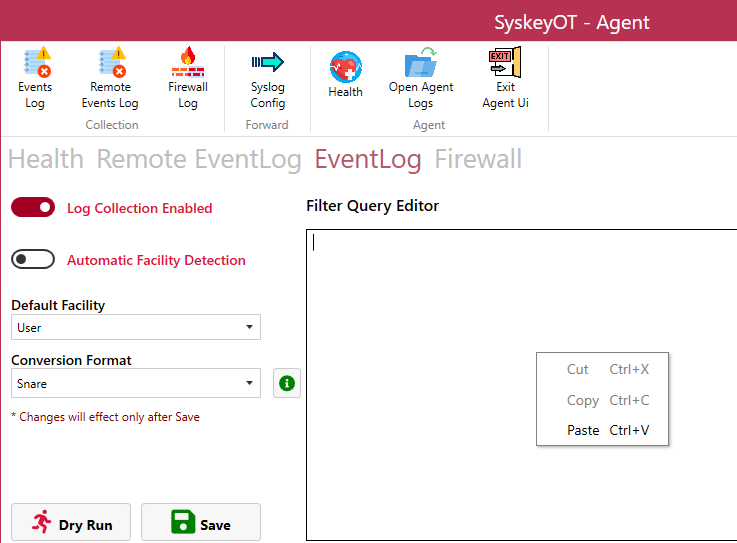
Paste that into the the “SyskeyOT Windows Agent-EventLog” XML query tab.
-
Click
 and there we go.
Note: Use the same Copied Query in SyskeyOT Windows Agents hosted on other similar windows machines (if any with same filter configurations)