5.4 How to configure Windows Firewall Logs
Configure the collection options to enable SyskeyOT Windows Agent to collect Firewall Logs from the Windows machines.
Procedure
-
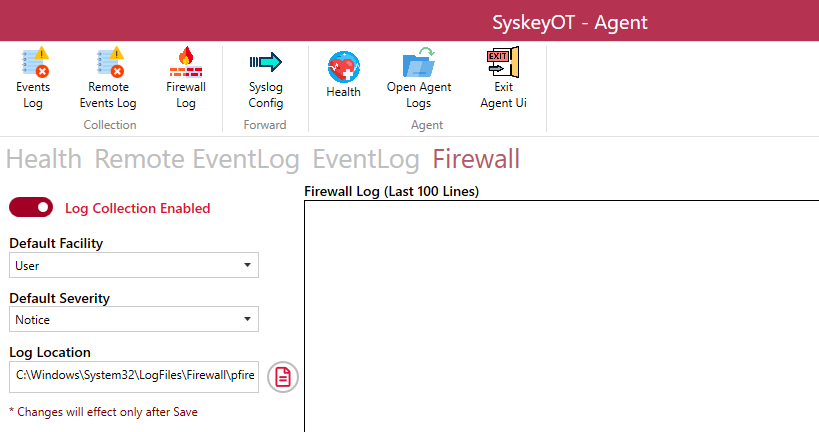
In the top navigation pane, click on Firewall Log tab.
-
Enable Log Collection – Click on Toggle switch to Enable/Disable Firewall Log collection.
-
Choose Default Facility to be applied for the collected Firewall Logs.
-
Choose Default Severity to be applied for the collected Firewall Logs.
-
The default log location is automatically selected by the Windows Agent. Change this setting only if the logs are stored in a different location.
-
Click
