5.1 How to configure Windows Event Logs collection
Configure the input options to enable SyskeyOT Windows Agent to collect Event Logs from the Windows machines.
Procedure
- In the top navigation pane, click on Events Log tab.
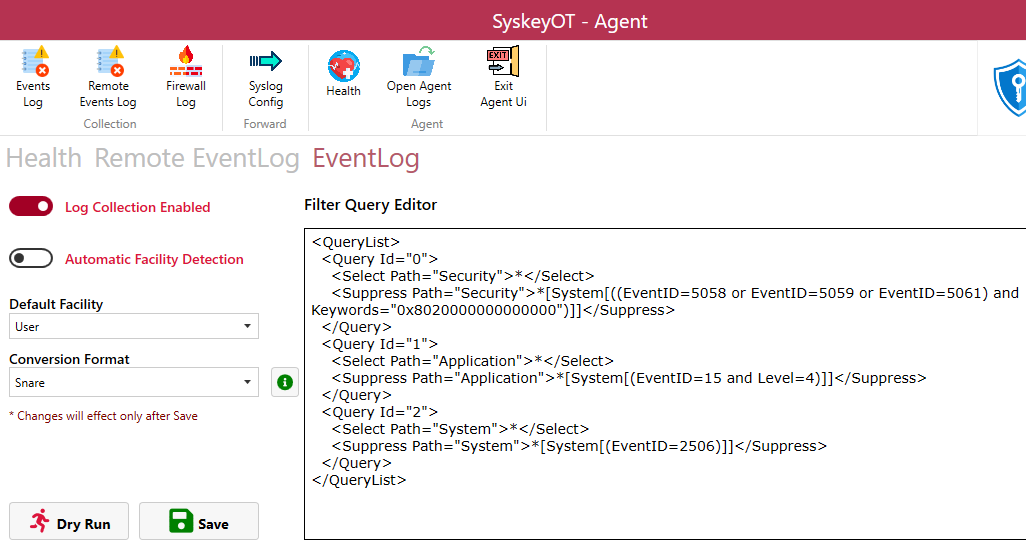
- Enable Log Collection – Click on Toggle switch to Enable/Disable EventLog collection of the local machine.
- Enable Facility Detection – Enable this feature to allow the agent to Auto Detect the Facility of the captured event logs.
- Default Facility - The default facility to be used when facility detection is not possible.
- Conversion Format – Configures how the event logs to be converted to. Please click the help button next to it for various options.
- Click
