6.1 How to Create New User
You can create a new user account and assign a user role.
Procedure
-
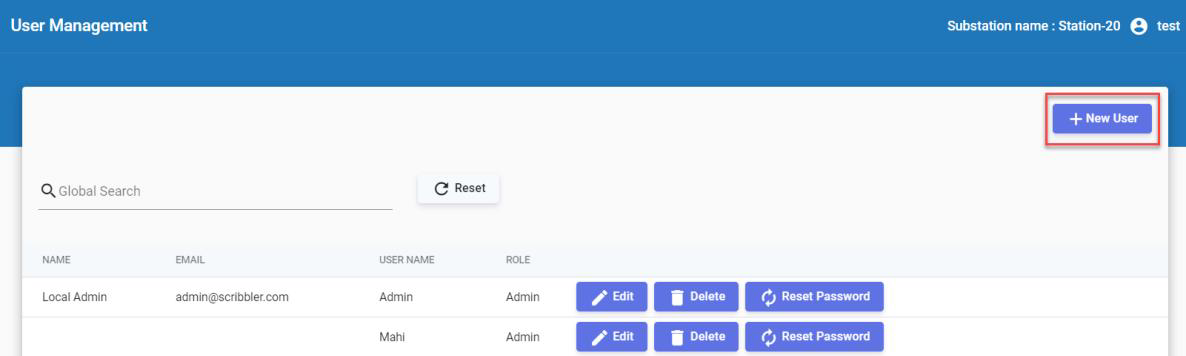
In the navigation pane, navigate to User Management.
-
Click + New User at the top right corner.
-
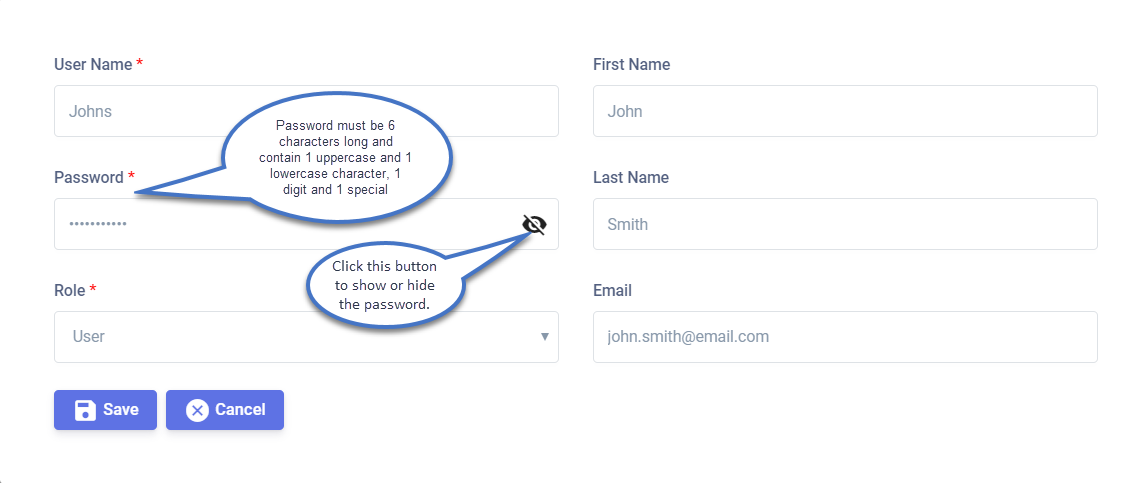
Enter user details: username, first name, last name, and email address.
-
Set a password for the user profile.
-
Assign a role to the user account. Select Admin or User from the list.
-
Click
 to create the user account.