8.1 Windows Installation
The Scribbler solution is distributed as an installable MSI package.
Procedure
-
Ensure the target environment meets the system requirements.
-
Run the installation package and follow the on-screen instructions to install pre-requisites.
-
Read and accept the license agreement.
-
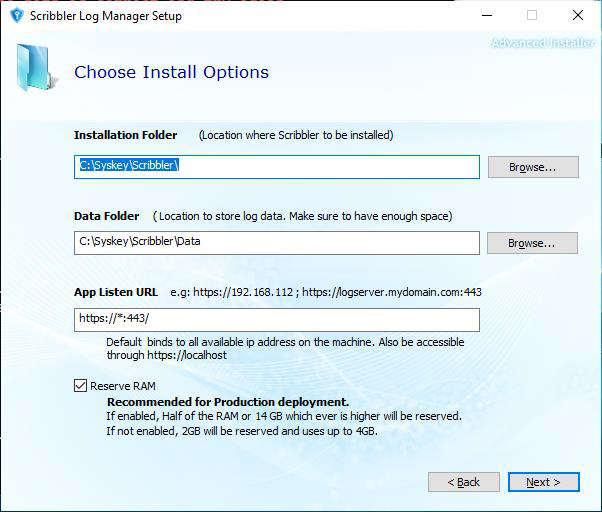
Provide installation parameters:
-
Install Folder – The location to install the software.
-
Data Folder – The location to store the data files (log database, application logs, etc.). Make sure there is enough space on the drive.
-
App Listen URL – The address to bind the Scribbler web application. The application will be accessible only through this address after installation.
- Ensure the port provided is not used by any other application.
0.0.0.0is a special address where the solution will be accessible from all available IP addresses in the system (preferred).- Only HTTPS protocol is supported. The solution will be installed with a self-signed certificate, which can be changed after installation.
-
Reserve RAM option – Select if installing the application for production use. Do not select if installing for development or testing purposes.
-
-
Click Next and complete the installation.